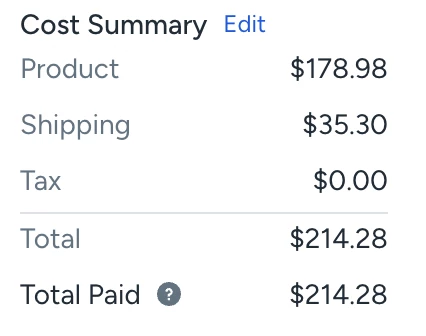
In Automation Rules, add an Action Type, called “Set Insure Amount” to “Product”
($) from the Cost Summary.
This would allow users who only want to insure the product value (not the shipping paid or tax) into the declared value.
You could also do a drop down, where we can select setting the Insure Amount to Product, Product + Tax, Total Paid to cater to everyone’s unique use case.
Here’s a sample mockup:
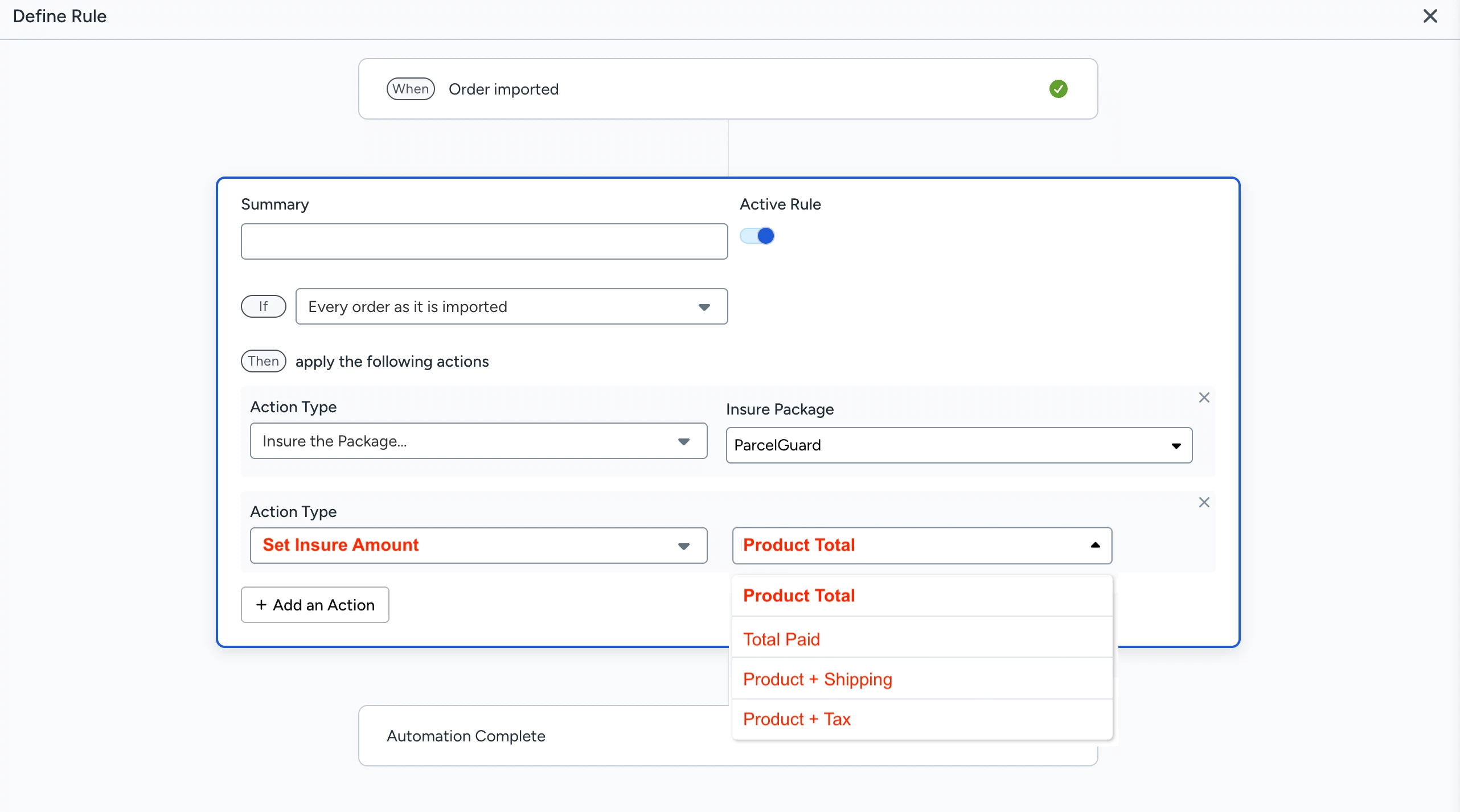
This would reduce a lot of manually adjusting the insure amount for each order.
- For example, the product value is $178.98
- The customer also paid $35.30 for shipping.
- When insuring, the default pulls from the Total Paid, $214.28, and we have to adjust it to $178.98 each time.