New

Rate Comparison in Scan Window

Related products:Orders & Shipment Management
  • September 8, 2021
  • 3 replies
  • 1 view

Hi! 


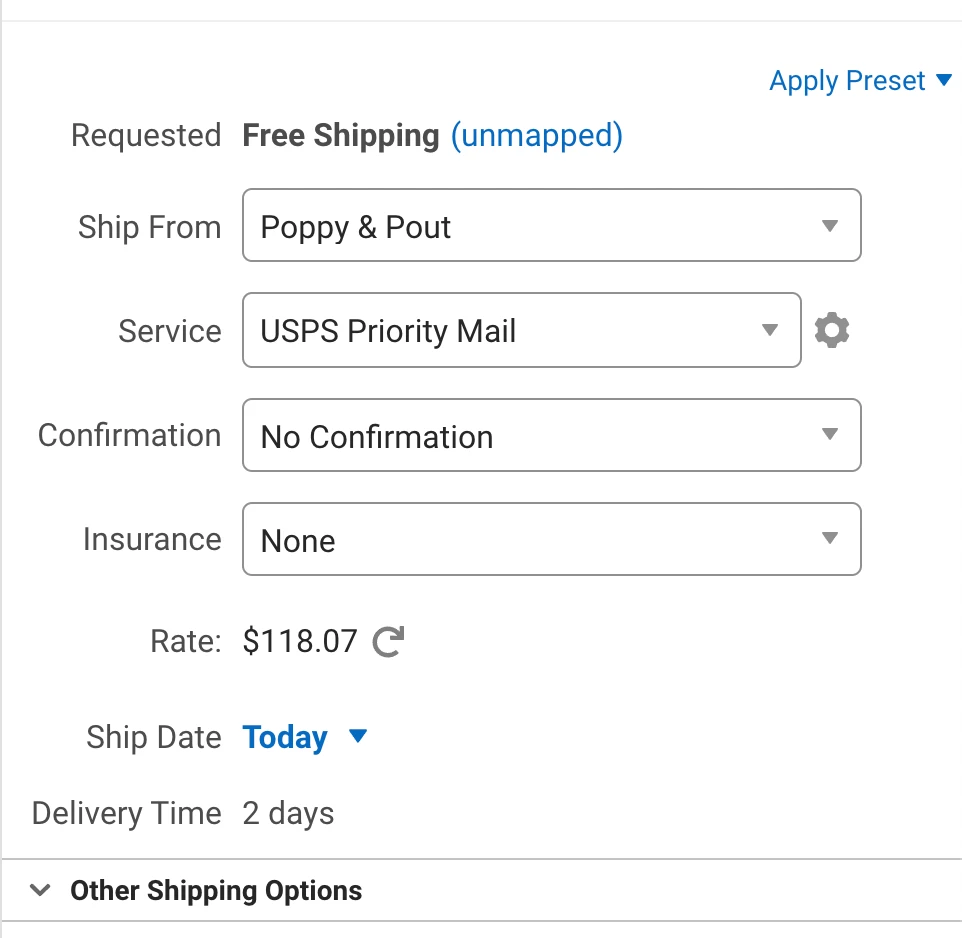
I use the scan feature to print shipping labels, but the rate calculator doesn't automatically pull in the order information like it does if it was in the orders window.


When in the orders window, the calculator icon will appear next to the "Ship From" section. In the Scan window, there isn't one. 


Is this a feature that already exists or something I need to do to get it? 


Adding photo for reference. 

3 replies

Moderator-Davis
No text available

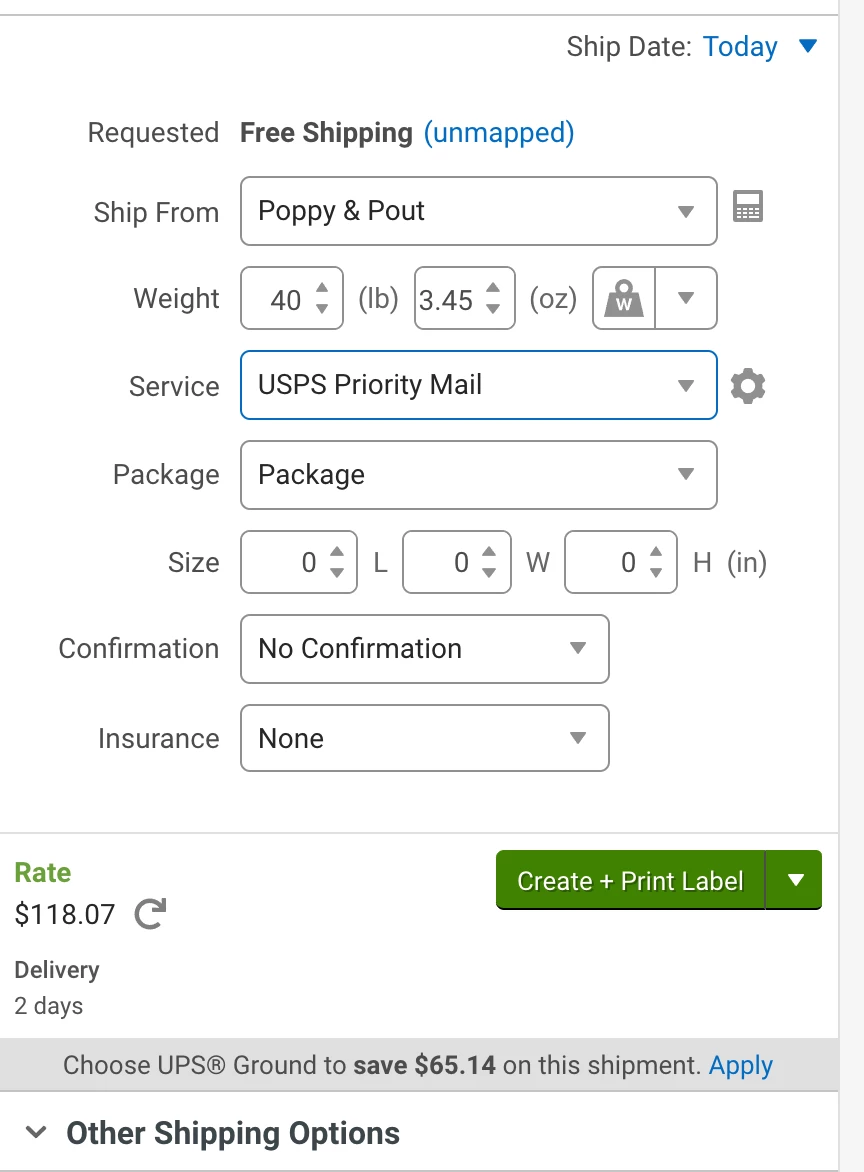
I posted the 2 screens side by side below. 1 shows the standard shipping screen, the other shows the scan to print screen. It would definitely be helpful if the rate comparison wrapper worked in the scan to Print screen. Our shippers are making costly mistakes because they're so used to it saying, "choose this method to save $xx on this shipment. 
As a programmer myself, I can say this would take 30 minutes to write and implement. This would save us thousands in shipping each month. 

I really hope Shipstation sees this and implements this. 


Info325
  • December 28, 2024

This is so needed! I really want to be able to use the scan to print functionality but when I realized it’s not doing the “switch and save” functionality on the scan page I went back to just using the order page. I messaged support about this today thinking I had a setting off but it’s literally a missing feature. I usually use the refresh rate symbol to get the pop-up to come up and there’s a refresh symbol on the scan page as well but no “switch and save” populates.