
Solved

Create a page break between packing slips

  • Jan 19, 2023 2:59 PM UTC
  • 3 replies
  • 3 views

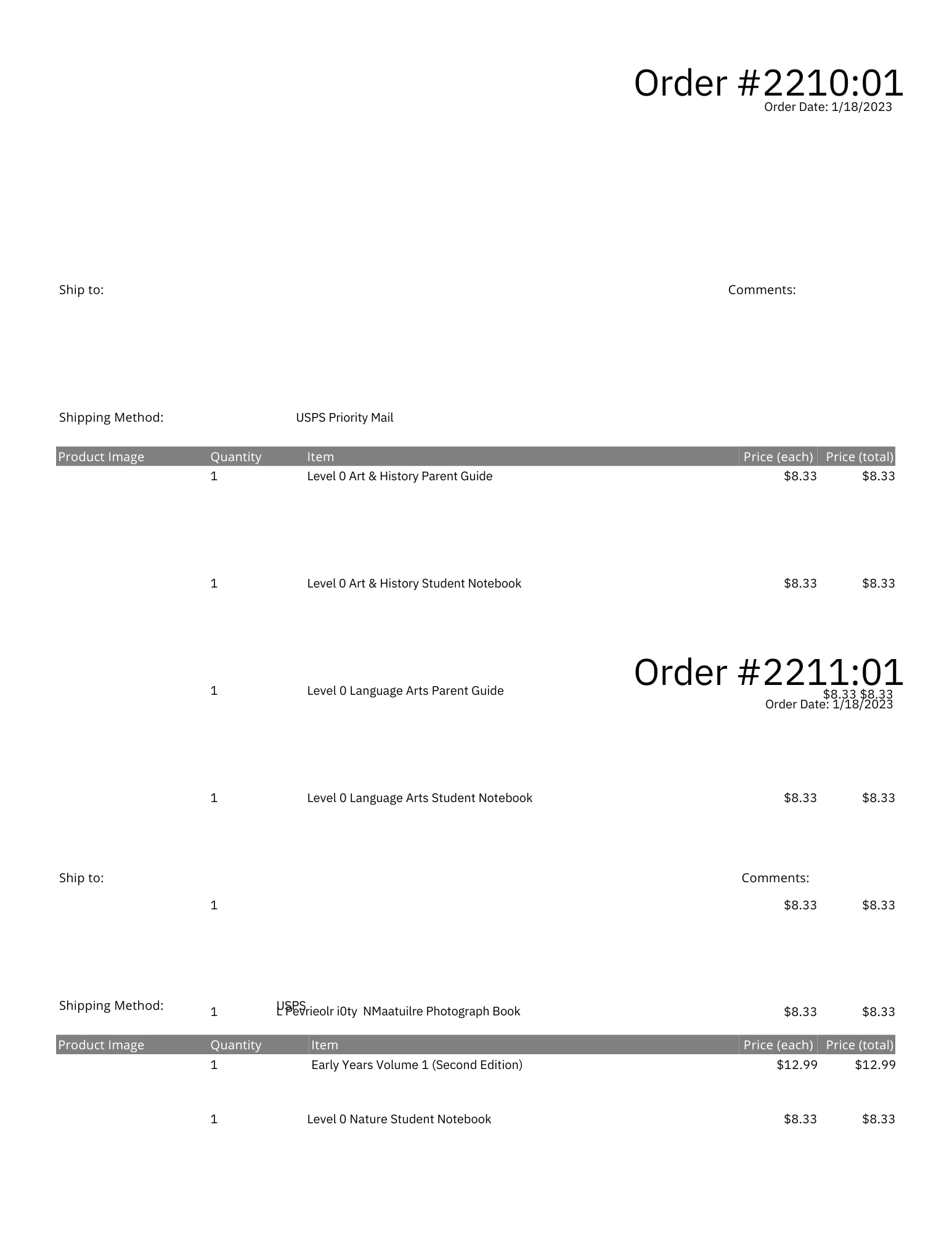
I created a custom packing slip that works perfectly when printing individually. However, if I select multiple packing slips, they combine into a PDF so that they completely overlap with each other. How do I create a page break so that they each start on their own page? All the help I've been finding online includes a CSS solution, but I don't know if you can integrate CSS into the templater.

I've attached an image of the multiple overlapping packing slips for a visual of what I'm getting.

Thanks!
Best answer by JustinPM123

You need to add some custom CSS styling to the code of the Packing Slip.

Give the main container of your packing slip template this:

style="page-break-after: always;"

Example:
<div style="page-break-after:always;">

View original

3 replies

  • Author
  • Jan 19, 2023 6:01 PM UTC


You need to add some custom CSS styling to the code of the Packing Slip.

Give the main container of your packing slip template this:

style="page-break-after: always;"

Example:
<div style="page-break-after:always;">


  • Author
  • Nov 21, 2024 5:04 PM UTC

So, forgot I posted this and am back with an update. I had in settings for the packing slips to print two per page. This was my whole issue. 😑

For anyone else encountering the same, you can change the setting at [Settings > Printing: Document Options > Packing Slip: Document Options] and then select from the Packing Slip Format dropdown "8.5"x11" (full page)."