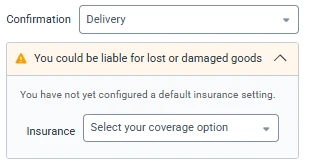
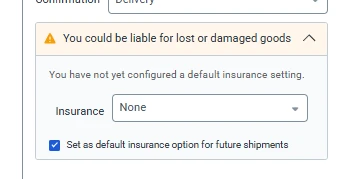
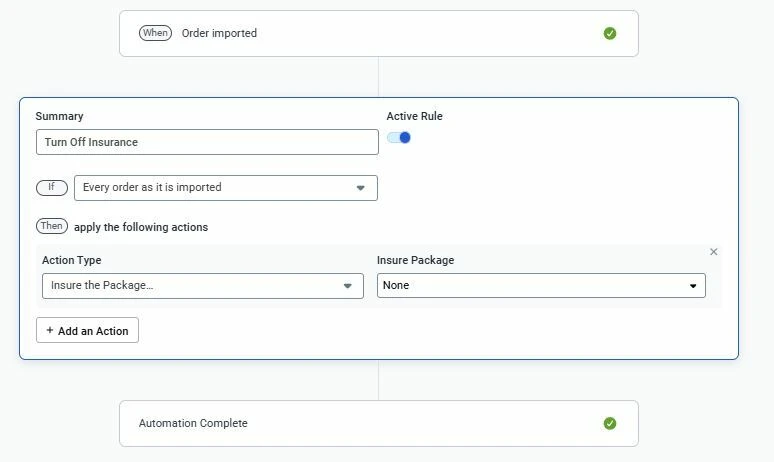
I completely understand how frustrating it is to see that pop-up constantly interrupting your workflow. At the moment, there isn't a setting in the UI to permanently disable this specific insurance notification. However, I have immediately alerted our Product team about your experience. Thank you for flagging this so we could get it in front of the engineers!
This new UI element is a dark design pattern that reduces the users ability to review and check that the insurance items are set correctly. (Even when the ShipStation-preferred insurance option is selected, the insured method and value is hidden.)
This new UI element is a dark design pattern that reduces the users ability to review and check that the insurance items are set correctly. (Even when the ShipStation-preferred insurance option is selected, the insured method and value is hidden.)
Can you send me a screenshot of what you mean? I’ll flag it for the UI design team.
This new UI element is a dark design pattern that reduces the users ability to review and check that the insurance items are set correctly. (Even when the ShipStation-preferred insurance option is selected, the insured method and value is hidden.)
Can you send me a screenshot of what you mean? I’ll flag it for the UI design team.
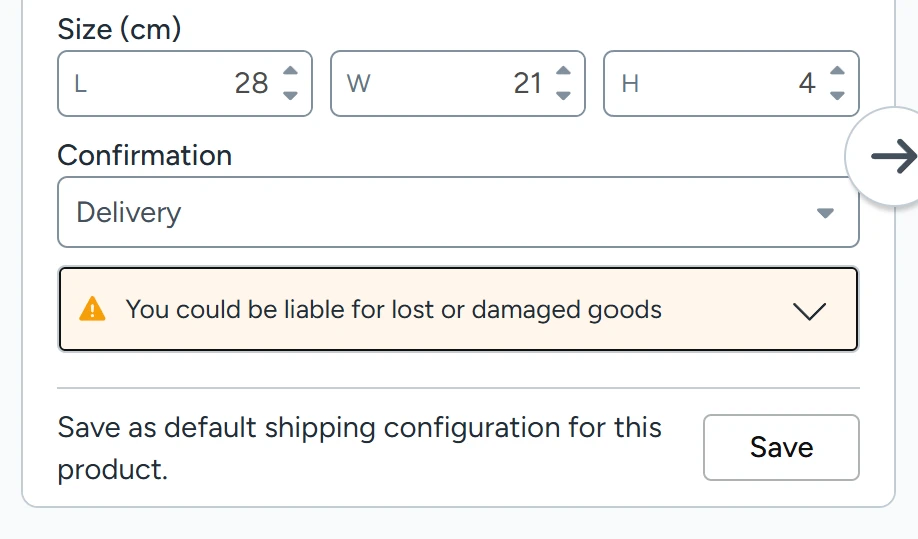
I’d bet the UI design team (or their manager) knows exactly what they have done, but this is a screenshot from the single order view. The warning hides the insurance settings in all cases and defaults back to the closed state when switching between orders.
This requires the user to expand the field by clicking on the caret to check that the insurance settings are correct. We must also triple-check the insurance settings from the batch view before processing. The end result is lost user time and increased frustration.
At this time it doesn’t appear to be something we are going to rollback, but I appreciate you all voicing your concerns and I have alerted the product team. I will let you all know if I hear any news.
At this time it doesn’t appear to be something we are going to rollback, but I appreciate you all voicing your concerns and I have alerted the product team. I will let you all know if I hear any news.
If management is committed to keeping this annoying warning in the product, they should at least give users the ability to see the insurance settings without expanding the field.