Shipstation authentication issues and constant logout

  • Apr 3, 2025 4:47 PM UTC
  • 5 replies
  • 4 views

Shipstation as of January 1 2025 has turned on specific security profiles that require email auth codes.  Here are my very serious issues.  Great that you are trying to keep us secure, not great that you don't give us options to fix auth issues ourselves.

I have four users each of which are the CEO of our company, myself, customer service and shipping.  For the last two weeks we are getting logged out of shipstation and logging back in to find out that they need a security code from my email.  Because employee turnover can be high both our customer service and shipping use one of my many email addresses because its easier in the long run.  So, every time they get logged out they need me to send them the code.  Amazingly enough I am a pretty busy person, and it is causing major issues.  Being a user for over 10 years I would like to say after chatting this morning that I can't believe there is not to turn off this horrible security feature as the Admin.  Please give the admins a way to work their own systems.  Shipstation is now costing me $299.00 per month.

Karla James

 

5 replies

CaraAdmin
  • Community Manager
  • Apr 7, 2025 4:14 PM UTC

Hello, @Karjames!


Thank you for your post! Based on what you’ve shared, it sounds like multiple users may be sharing the same user profiles. This can lead to authentication issues, including being logged out unexpectedly and needing to go through the MFA process more frequently.

To help avoid these issues, we strongly recommend that each user or workstation have an individual user profile. ShipStation does not support simultaneous logins for a single user profile, and doing so can cause the problems you're experiencing. If sharing user profiles is necessary for your team, we suggest ensuring that all users have access to the email addresses associated with those shared profiles. This can help minimize some of the frustration around authentication and MFA. You also can update the email addresses linked to user profiles to better fit your team’s needs. I have also attached our MFA Help Center article here for your reference.  We have also passed along your feedback to the development team for review. 


Please let us know if you have any questions or need help with user management—we’re happy to help!


Happy Shipping! 


-Cara


  • Apr 8, 2025 8:22 PM UTC

I have 12 users and have been experiencing the same issue. They are all separate user profiles. Every day sometimes multiple times per day they are logged out and need a code to log in again.


  • Employee
  • Apr 8, 2025 10:08 PM UTC

You can set up an inbox filter in the email where the 2FA codes are being sent that automatically forwards them to whichever emails you'd like. It's really easy to do in gmail, but I'm not sure about other services.


It’s also a big issue with my business as well. I totally hate it because I am logged out every single day on my app to keep track of my business and my business orders. I am the only one in my business with this login so I know for a fact, no one else uses the login, but yet my app keeps kicking me out all the time. It never used to do this until this time. Ship Station, please please please help us on this please try to fix it


Lee-MontiiCo

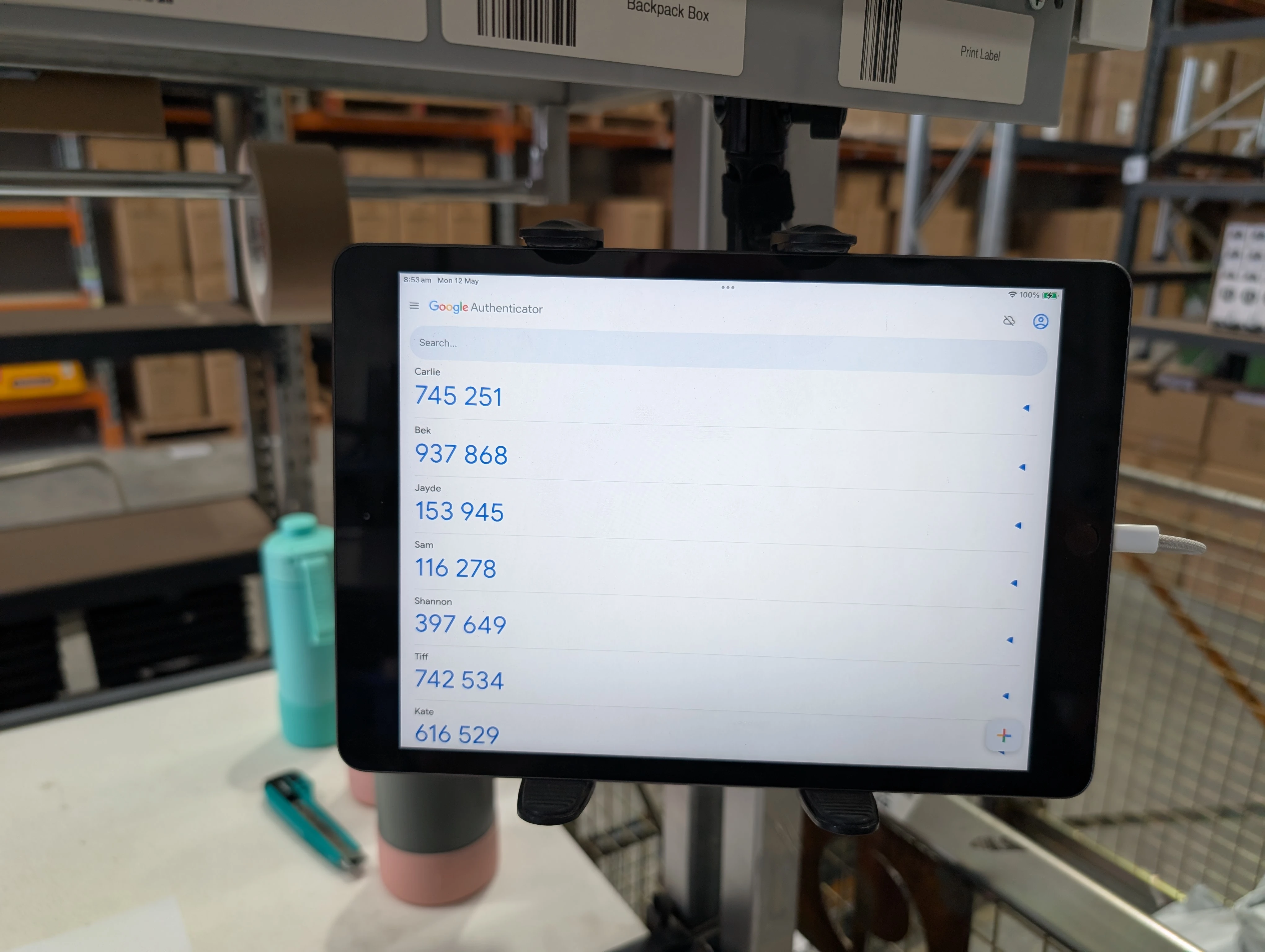
We just fixed this issue for our warehouse. Each packing user has a individual login and it was a pain in the ass with the emails etc and this is what we did to fix it.

We use iPads on our packing benches but would work the same if you have a spare apple/android device floating around.

1. Download google authenticator onto a shared device.
2. Login to each packer shipstation account, go to My Profile in the top right corner.
3. Scroll down to the Multifactor section and click on Manage Settings and authenticate again.
4. Click "add new option"
5. Select "Authentication App"
6. On your device, click on + icon and scan QR code.
7. Scan the QR code and verify the code in Shipstation.
8. Go back to My Profile and delete the email option under Multi Factor Authentication.
9. Your user is now setup for one time passcode. 
10. Do this for all the other users and just use the same shared device. You can rename the codes in Google Authenticator for all the users so everyone knows which code is for which user.

Yes its a pain in the ass. Once its setup, it's really easy for the users. We fix up all the accounts on Friday and today everyone was saying how easy it was to login today.

I hope this helps 🙂