ShipStation Connect - Constant bugs

  • Jan 7, 2021 6:08 PM UTC
  • 11 replies
  • 1 view

EmilyM

We've been using Shipstation for 4 years now to ship all of our ecommerce orders. Naturally we use the Shipstation Connect feature to make the process of printing shipping labels and packing slips more efficient. That being said, we encounter connection issues with Shipstation Connect on a weekly basis. In most cases we have to completed deactivate a workstation, uninstall Shipstation Connect and reinstall the entire program. When speaking to Shipation Support we always get the same answer "we apologize for these bugs, perhaps closing work stations down and logging out at the end of the shipping day will help? We will escalate this to our tech team.". Not much help after 4 years as nothing has changed. 


Does anyone else have issues with the Shipstation Connect feature? Is there anything we can do to make the program more reliable so our employees are not constantly held up trying to reinstall?

11 replies

masonfabian
  • Employee
  • Jan 7, 2021 7:29 PM UTC

We used to have the same issue. Had to reinstall connect every few days. It has been steady the last year or so. Do you use more than one user per computer? Do you have multiple computers?


We have multiple computers/users and I gave up on Connect, I download and print everything now, as this doesn't seem to get fixed and I don't have the time and patience to continually uninstall and re-install.


jeremy_S-and-S

We have multiple user accounts in ShipStation, but I'm the only one who uses Connect. It hasn't worked for me in over a week. *shrug* 


  • Mar 25, 2021 9:38 PM UTC

Same here.


  • Oct 28, 2021 7:52 PM UTC

We have the same issues with Shipstation Connect.  We are constantly reinstalling the product.  We switched out computers but that didn't help. I love Shipstations features but Connect should have been dropped along time ago. 


SSkeptic
  • Employee
  • Feb 3, 2022 7:30 PM UTC

Something deeply wrong with Shipstation Connect.

Fails regularly and requires minutes of troubleshooting to get going.

Printing labels is kinda the whole point of a shipping app.

Fedex.com is much klunkier, but does not constantly fail. Sigh.

Shipstation Developers, wake UP!

You have a great app with one critical piece that's always broken.


  • Feb 16, 2022 11:31 PM UTC

same here, printer not found, sometimes browser refresh fixes it, but many times we need to restart the pc, or reinstall shipstation connect. 


Do not erase your Shipstation connect and try to install the latest Version if you have Windows 10   32 bit version OS.


I just tried that and the new Shipstation connection only works on 64 bit Operating System. No where on the update page says that. Now I have a useless computer connected to my Zebra printer. I will have to move to a Windows 10 64 bit. I do not like windows computers. Mac computers make fuzzy Fedex labels on Zebra printers. Only work on Mac computers and the only reason I have a windows computer is to use it a a work station for my Shipstaton connect printer server. I use my Mac and my iPhone Shipstation app to print labels remotely. I can't do that now. 


Do not update if you need your Shipstation connect to work on a windows 10 32 bit. 


I contacted support and the told me I am out of luck. Get a 64 bit OS. There is no other option for me. 


Same issue here.  Worked for 4 years and started completely losing connection when any other user in the same building logs in.  We have 2 shippers on staff at all times, VERY hard to process 1000 orders a day with one log in. 
Support is absolutely no help, blaming the scales....that we have been using for 4 years. 


Repeatedly fails to open after my computer goes to sleep. I have to restart my computer to even reopen the app. The app will not open from applications. It's maddening. 


Running a 2021 Apple MacbookPro on Sonoma with only one user. It's absolutely infuriating that this has been a problem for at least a year, maybe longer.

The application thumbnail even shows a corrupted tile: 


...and yes, I've uninstalled and reinstalled multiple times. It fixes nothing. 


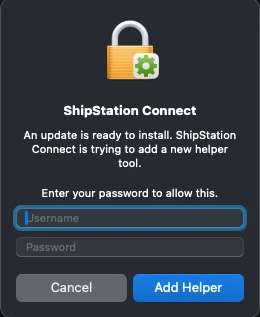
I've also approved this download at least a dozen times, maybe more...


info301
  • Employee
  • Jun 12, 2024 2:25 PM UTC

It's a puzzle to me why this stopped working after working for years, with no changes on this end, one account, one machine, one user. Then recently it started working again after weeks/months of not working and I thought they must have finally fixed it... but it only worked for a few days. Now it doesn't work again. I've just been printing labels manually, but it is a drag. I'm told to uninstall and reinstall, etc. but honestly who has time for that nonsense, that some report doesn't work anyway, and may create other problems. This is a label printing program, and the main feature has issues? Not sure why they can't push out an update to fix it. I guess there are reasons but it is frustrating.