Using Custom Packages

  • Nov 9, 2022 5:42 PM UTC
  • 4 replies
  • 2 views

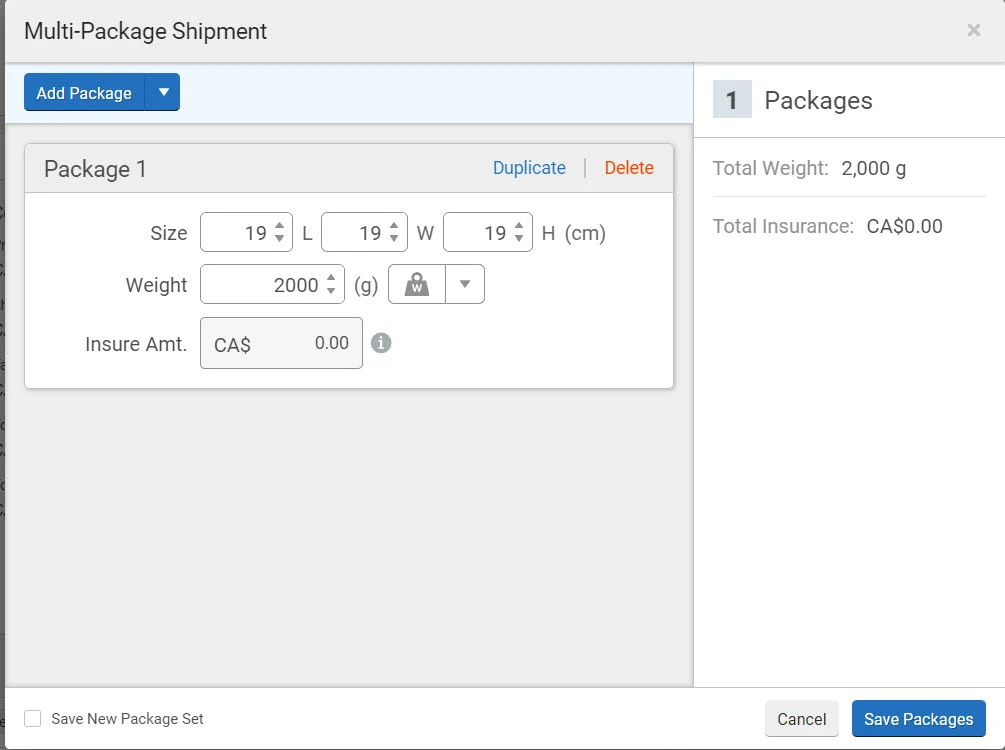
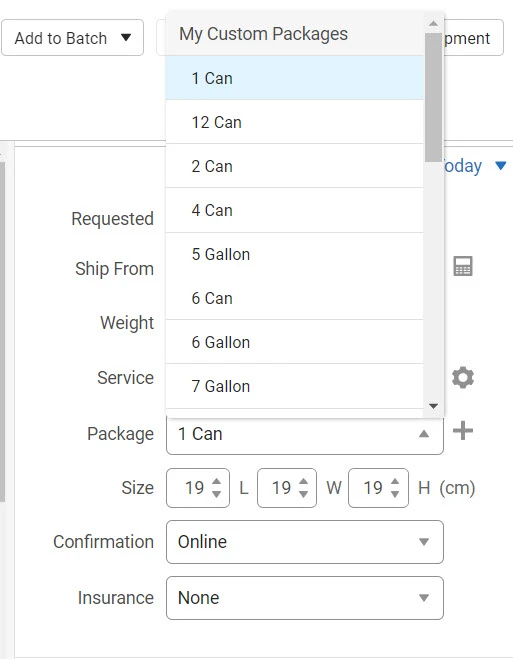
We use Custom Packages for box dimensions when we ship.  However, when we have multipiece shipments and move into the Multi-Package Shipment screen the custom package box dimensions we have created do not populate.   We have to type our box dimensions in manually.  My shipping staff whine about trying to remember box dimensions.  Is there any what for the customer package box dimensions to populate in the Multi-Package Shipment screen?  Is there a setting I do not know about?


Thank you, 

Deanna 
4 replies

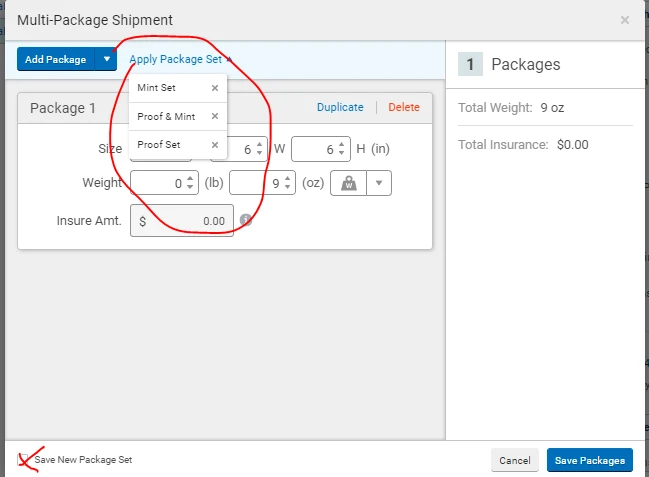
Within the mulit-package shipment screen you can save  custom package set and just name them the package sizes that you prefer. You'll have to manually add them the 1st time but then your staff can just "Apply Package Set" and select the package size they need from the drop down list.


  • Author
  • Nov 9, 2022 8:02 PM UTC

Thank you.  I just set up all our box sizes in save new package set.  But when I add a package in the multi shipment screen.  I cannot click on an "apply package set" and get a box size to apply for the second box, or a different box size from the above 2 packages to apply to box 3.  It is not uncommon to have 12 or more boxes in a multi-piece order to a customer and to have 3-6 different box sizes being used.


Any suggestions?


Thank you, 

Deanna


I am having the same issue with my warehouse team when we ship our wholesale orders. Seems like it shouldn't be very hard to just include the "Package" drop down menu to choose from for each new box when adding multiple boxes? 


  • Apr 14, 2025 4:40 PM UTC

It's the same here. We have multiple packages going into different-sized boxes. What's the point of creating custom packages for the items if we have to write every measure and weight when creating shipments with multiple packages? A dropdown with our custom packages is not a hard future to add.