Using the CSS :empty selector in packing slip templates

  • Nov 19, 2020 3:45 PM UTC
  • 1 reply
  • 0 views

Original post from user Jöhg Ananda


I want to use the :empty CSS selector to make a custom 4x6 label page that will display when a note is present. This could be done by creating 3 divs containing the three types of notes and styling them so that they are hidden, at the front of the packing slip.


<style> .note:empty {display:none;} .note {width: 4in; height: 4in;} </style> <div class="note">{{ gift_note }}</div>

This would really extend ShipStation's functionality.
This topic has been closed for replies.

1 reply

  • Author
  • Nov 19, 2020 3:47 PM UTC

Hi Jöhg!

I have to admit, this was a bit of a brain teaser!


So, you can certainly add the CSS style tags to the front of your packing slip code. When doing this, make sure you always keep it at the beginning of the Order Header section before the table element starts. 


I was also able to confirm that our editor does support the CSS empty selector. However, in testing this it looks like when the display property is set to none, it simply will not display regardless of whether the targeted element is empty or not. 


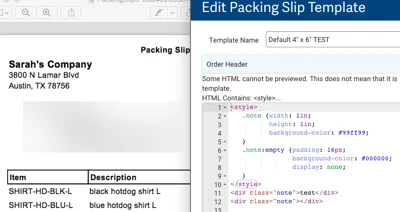
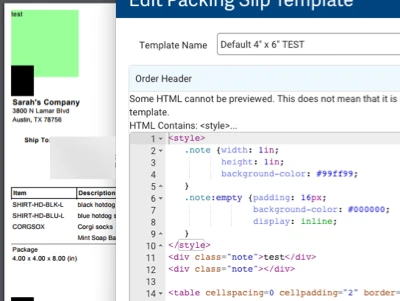
Here is a test packing slip showing two divs, one empty and one not, with the different styling applied while using the inline display value. 


No matter what I tried, when the display property was set to none, all divs with the note class were hidden:


I'm not totally sure why this is the case, but will do my best to find out!