USPS Shipping Manifest Not Registering/Updating on ShipStating

  • Oct 29, 2023 1:48 AM UTC
  • 45 replies
  • 40 views

friendsartlab

My USPS mail carrier is scanning my end of the day USPS shipping manifest, but unfortunately it is not registering/updating on ShipStation or USPS. This has never happened before and I am not sure why this is not occurring. It used to be that the mail carrier would scan the USPS end of the day shipping manifest and it would then register on ShipStation as the item was picked up; however, while it is being scanned by the USPS mail carrier, it is not registering on ShipStation at all! 

Is anyone else having this problem???

45 replies

  • Nov 2, 2023 2:12 PM UTC

Are you referring to the Scan Sheets, that the carrier scans to accept all the packages.  If so, yes we are having the same problem, they are scanning the scan sheets, the USPS tracking is not actually showing as received.  I have been in contact with our local postmaster, and he told me that when he showed they scanned the scan sheet, the scanner accepted the scan sheet, but there were no packages attached to it, even though the sheet said the amount of packages, and told me I needed to contact where I get the scan sheet from so I opened a support case with shipstation.  Please if this is the same for you, go and open a support case.  I honestly was having a hard time believing I was the only person this was happening to.


  • Nov 5, 2023 4:05 PM UTC

How interesting, as I opened a case and that was the same person who helped me.  It is Definitely a shipstation problem, as I have been working with my local postmaster and he informed me when they scan the sheets, it accepts then but not packages are actually attached.  So Thursday this last week, I printed about 30 labels through eBay and used the scan sheet from there and it worked perfectly.  I do believe it had to do with Shipstation hasn’t updated the services yet, because their scan sheet still shows First Class mail, and the eBay scan sheet showed the new services Ground and Ground advantage.  I really hope they fix this soon, because it is causing us problems.


PLM
  • Employee
  • Nov 6, 2023 3:29 AM UTC

We have the same issue, Shipstation claims they receive the form from the USPS or Stamps and they can't do anything about it.


  • Nov 9, 2023 4:20 PM UTC

Just an FYI, my case, after much going back and forth was escalated to Senior Support, then I received an email yesterday that they escalated it from Senior Support to the Developers.  I hope this get fixed soon.


  • Nov 9, 2023 4:58 PM UTC

I have the same issue about two weeks, scan form is being scanned by the USPS, but acceptance scan (shipment received) not showing in the tracking information


Austinite
  • Employee
  • Nov 10, 2023 9:05 PM UTC

I have the exact same problem. I've worked with the local PO thinking the carrier was not scanning, but I'm now fairly certain the carrier is scanning, but that action is not being record in the USPS tracking system. I tried printing the SCAN form through Stamps.com and had the same result. I did report this to SS support and supposedly it was "escalated" but I've heard nothing yet.


  • Nov 14, 2023 12:15 PM UTC

I just wanted to add my name to the list on this as well. So frustrating, I have been working with my local post master as well documenting these daily and just found this thread. I assumed it was something with the USPS but now I know it is a Shipstation issue not USPS.

I submitted a a support case with Shipstation just now to help add more voices to this and also provided them .pdf scans of counter receipts as well so it is clearly documented.

Hopefully this can be resolved quickly. In the least they should have communicated there is a problem. That would have saved some of us a lot of time instead of having to do all the detective work ourselves. 


  • Nov 14, 2023 3:16 PM UTC

I honestly can not believe that it has been two weeks now, and they have not fixed this problem yet.  This is making them look like a joke.


orders86
  • Employee
  • Nov 15, 2023 3:22 PM UTC

We are also experiencing this issue. Was going around between our mail carrier and USPS trying to find why are forms were not showing up in the system after being scanned for the last couple of weeks. I'll also open up a ticket with shipstation.


  • Nov 16, 2023 1:29 AM UTC

I am also experiencing this problem for the past two weeks and Monday was my breaking point. I am looking for other options. I opened a case over two weeks ago and still have no response. This week I have over 40 orders from Monday that never received a scan acceptance from USPS and my store is about to be shut-down for a late dispatch rate. I have reshipped over 50 orders these past two weeks, we are a high volume store, and this is completely unacceptable. I have referenced this community page several times, so they know this problem exists. Be Better Shipstation, I'm looking for other options. 


PLM
  • Employee
  • Nov 16, 2023 3:27 AM UTC

nothing, I have opened a new case today.


PLM
  • Employee
  • Nov 16, 2023 4:03 PM UTC

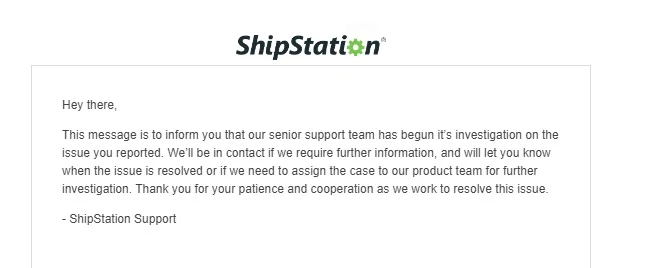
I have received an email from shipstation that a senior support team has begun it’s investigation on the issue you reported. 3885658 Escalation In Progress


PLM
  • Employee
  • Nov 16, 2023 4:46 PM UTC

Do you, by any chance, have daily pickups set up on USPS.com?

About a month ago, my mail carrier suggested that I request daily pickups on USPS.com, and we did so for the entire year. Every day, I received a notification from USPS about the daily pickup.

I'm considering the possibility that the daily pickup request on the USPS.com site may be causing or interfering with my end-of-day scan.

Please let me know if any of you do or do not have daily pickups set up on the USPS website to help determine if this could be a contributing factor.


  • Nov 17, 2023 4:45 PM UTC

Hi all, 

I have managed to find a potential solution, I spoke with someone at shipstation today and they said to go to stamps.com to create the SCAN Form - USPS Form #5630. When I went to do that I noticed I COULDN'T! I didn't have the "appropriate plan. On stamps.com the  "Ship Confirmation Acceptance Notification (SCAN Form - USPS Form #5630)" is an added feature you HAVE TO BUY!  IT'S IN THEIR "PROFESSIONAL SHIPPER PLAN" FOR $39.99 


PLM
  • Employee
  • Nov 17, 2023 5:47 PM UTC

I just upgraded my stamps account to the professional plan, it shows the features and I hope this resolves the issue, thanks for the tip 123qwe :

Professional Shipper Plan

Key features of Professional Shipper Plan:

- Ship Confirmation Acceptance Notification (SCAN Form - USPS Form #5630)

I will let you know if this was in fact the problem.


PLM
  • Employee
  • Nov 17, 2023 5:48 PM UTC

I just upgraded my stamps account to the professional plan, it shows the features and I hope this resolves the issue, thanks for the tip 123qwe :

Professional Shipper Plan

Key features of Professional Shipper Plan:

- Ship Confirmation Acceptance Notification (SCAN Form - USPS Form #5630)

I will let you know if this was in fact the problem.


  • Nov 17, 2023 8:17 PM UTC

You do not need the professional shipper plan, Sorry you signed up for it, but you will get the same scan sheet from stamps.  I have been using Shipstation for 10 plus years, and know all the ins and outs of it. You can also access printing the scan sheet from stamps.com also, without having to sign up for the professional shipper plan, I posted the instructions higher up, but will posted them here again;


"If you go to your Settings icon at the top, then click Shipping Carriers, then click the 3 dots next to USPS, and click it then click Carrier Settings, it will pull up the Stamps.com webpage, but a really dumbed down version.  On the address bar at the top of that stamps.com page, delete "?storeContext=integrator", then hit enter and load the new page.  Now you should have pull down menus at the top, you should see History, and under that pull down is where you can create scan forms.

Now that you know this, it doesn't matter, it will create and print out the same non working invalid scan form that shipstation prints out, because shipstation is getting it from the same place on stamps.com.

Everyone needs to understand, Stamps.com Owns Shipstation, so either of them should be able to get this problem fixed!"


  • Nov 17, 2023 8:28 PM UTC

I would be astonished if it made a difference, but I do not believe it will.  Not sure what you are referring to by Basic Plan, as that is not even an option.  I show three options.  Pro Plan, Professional Shipper Plan, and Primer Plan.  Mine shows I have Pro Plan, at a $0.00 monthly cost, as it comes with a shipstation subscription.  Again, been printing scan sheets for a decade.  Also printed several scan sheets through stamps.com as well as through shipstation since this problem started.


PLM
  • Employee
  • Nov 17, 2023 8:36 PM UTC

Sorry, yes Pro Plan:

Pro Plan - Key features of Pro Plan:

- Pint postage directly on Labels, Envelopes, Paper using your computer and printer

- Up to 10 Cost Codes to help you keep track of your spending

- Hidden Postage - Hide the shipping amount paid on your packages

- Friendly customer support to help you through the process

Professional Shipper Plan

Key features of Professional Shipper Plan:

- Direct ODBC integration with your existing customer or order management database

- Ship Confirmation Acceptance Notification (SCAN Form - USPS Form #5630)

- Automated USPS Customs forms for all International shipping

- Up to 1000 Cost Codes to help you account for your spending

- A Professional Shipper account that will accommodate up to $5000 balance

- Ability to print up to 22 labels or envelopes per minute in continuous batch print jobs

- Automatic address cleansing through the USPS Address Management System

- Compatible with most industrial shipping scales, printers and barcode scanners

- Allows up to 3 users (at the same address) to access your account at the same time with centralized billing and controls

- Provides you with the controls to track expenditures across an organization

- Allows you to set individual user access levels


  • Nov 17, 2023 8:42 PM UTC

Yes, I have already seen what you are seeing, but scan sheets are included with your shipstation subscription, which is why you can already print them without a Professional Shipper Plan.  It would be very odd of them, to out of the blue not announce the need to pay for a stamps.com Pro Shipper plan in order to print scan sheets, but to continue to allow you to print broken scans sheets that don't work.  If that truly was the case, that is a horrible business practice.

Did you not say you already signed up, and printed your scan sheet?  If so, does it still have First Class Mail listed on the scan sheet?  Or does it Say Ground Advantage?


PLM
  • Employee
  • Nov 17, 2023 8:49 PM UTC

Still show First Class Mail 


  • Nov 17, 2023 9:09 PM UTC

I have tried the stamps.com scan sheet as well and it didn't work. They are owned by same company.

One thing of interest to everyone - I tried a competitor the past two days and when printing the 5630 form it says form revision date of July 2013. - It does not include first class option.

When printing from stamps.com or shipstation the 5630 form says last revision July 5th 2006. Right there is the issue they are using the wrong revision or version if you will of the form, I honestly think it is as simple as that sadly.


  • Nov 23, 2023 3:10 AM UTC

I have a manifest that was scanned for 341 packages on 11/10---all but 12 packages have updated tracking and have been delivered. The 12 packages in question don't even show USPS accepted the package and there's been no movement with USPS. I'm not sure if this is the same issue y'all are describing or not.    Either way this is very concerning as I have no way of tracking the package since it doesn't even show accepted. USPS says theres nothing they can do since it doesn't show they are in possession of them.


PLM
  • Employee
  • Nov 27, 2023 4:27 AM UTC

UPDATE: Last week I upgraded my account at Stamps.com, the upgrade would take effect on Nov 22nd

All the shipments I made on Nov 24th are not updating at the USPS website.


PLM
  • Employee
  • Nov 27, 2023 5:23 PM UTC

I apologize, I meant they are NOW UPDATING - All show "Shipment Received, Package Acceptance Pending"

We will scan all orders today and will provide updates tomorrow but it seems the issue was corrected after I upgraded my account at stamps.com